Skip to content
OnMSFT.com
  • Home
  • About
  • Contact
  • News
  • How-to
  • Microsoft / office 365
  • Reviews
Menu
  • Home
  • About
  • Contact
  • News
  • How-to
  • Microsoft / office 365
  • Reviews
  1. Home
  2. News
  3. You can now register to attend the free, all-virtual Microsoft Ignite conference

You can now register to attend the free, all-virtual Microsoft Ignite conference

Arif Bacchus Arif Bacchus
September 3, 2020
1 min read

Microsoft’s Ignite conference was supposed to be held in New Orleans this year, but with the COVID-19 pandemic changing those plans, anyone can now attend a digital Ignite conference for free online. Indeed, Microsoft has just announced that registrations are now officially open, giving you your chance to secure your spot for the 48-hour digital event.

To sign up for Ignite this year, all you need is a work or school Microsoft 365 account, or a Microsoft account and to visit this webpage. You also can sign up using LinkedIn or GitHub accounts, too. Choosing one of those methods will allow you to access your personal information, custom event agenda, and more across devices. Watch Microsoft Corporate Vice President talk about what you can expect in the video below.

A few words from @julwhite, CVP of Microsoft Azure: pic.twitter.com/yT5xi5SR40

— Microsoft (@Microsoft) September 3, 2020

According to Microsoft, with this new all-digital conference, attendees will have the opportunity to “connect with technical communities and share the latest product developments.” There will be two sessions, a free 48-hour digital gathering from September 22-24. Then, a second Ignite conference will be held later in the year 2021.

Share This Post:

Tags: Ignite 2020 | Microsoft | Microsoft Ignite
Share this article:
Tags:
Ignite 2020 Microsoft Microsoft Ignite
Previous Article Minecraft Live! Annual Event Set For October 3rd – onmsft.com Next Article Microsoft announces Expressive Pixels, a new Windows 10 app to get creative with emojis and LED displays

Related Articles

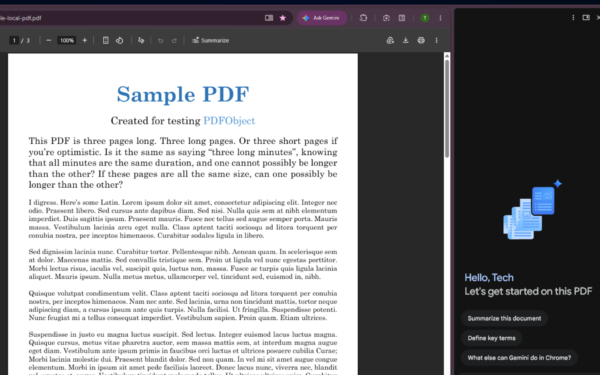
Gemini in Chrome side panel showing PDF summary options alongside an open document

Chrome could soon automatically summarize PDFs with Gemini

April 8, 2026

Snapdragon X2 Elite Gaming Shows Real Progress but Still Falls Short for Serious Players

April 8, 2026

ASUS Says No New Motherboards Needed for Intel Core Ultra 200S Plus

April 8, 2026

Leave a Comment Cancel reply

Your email address will not be published. Required fields are marked *

Recent Posts

  • Chrome could soon automatically summarize PDFs with Gemini
  • Snapdragon X2 Elite Gaming Shows Real Progress but Still Falls Short for Serious Players
  • ASUS Says No New Motherboards Needed for Intel Core Ultra 200S Plus
  • Google is Killing Chrome’s Link Preview Feature from Desktop
  • ASUS Snapdragon X2 Laptops Get Sudden Price Increase After Reviews

Recent Comments

  1. XxRIVTYxX on Intel Says It Tried to Help Before Crimson Desert Dropped Arc Support
  2. Gaurav Kumar on Chrome Prepares Nudge to ‘Move Tabs to the Side’ as Vertical Tabs Near Release
OnMSFT.com

The Tech News Site

Categories

  • Windows
  • Surface
  • Xbox
  • How-To
  • OnPodcast
  • Gaming
  • Edge
  • Teams

Recent Posts

  • Chrome could soon automatically summarize PDFs with Gemini
  • Snapdragon X2 Elite Gaming Shows Real Progress but Still Falls Short for Serious Players
  • ASUS Says No New Motherboards Needed for Intel Core Ultra 200S Plus
  • Google is Killing Chrome's Link Preview Feature from Desktop
  • ASUS Snapdragon X2 Laptops Get Sudden Price Increase After Reviews

Quick Links

  • About OnMSFT.com
  • Contact OnMSFT
  • Join Our Team
  • Privacy Policy
© 2010–2026 OnMSFT.com LLC. All rights reserved.
About OnMSFT.comContact OnMSFTPrivacy Policy
