Skip to content
OnMSFT.com
  • Home
  • About
  • Contact
  • Windows
  • Surface
  • Xbox
  • How-To
  • OnPodcast
  • Edge
  • Teams
  • Gaming
Menu
  • Home
  • About
  • Contact
  • Windows
  • Surface
  • Xbox
  • How-To
  • OnPodcast
  • Edge
  • Teams
  • Gaming
  1. Home
  2. News
  3. Windows 10 Redstone 5 update will introduce new “Screen clip” shortcut in Action Center

Windows 10 Redstone 5 update will introduce new “Screen clip” shortcut in Action Center

Laurent Giret Laurent Giret
April 6, 2018
1 min read

There are already several ways to take screenshots in Windows 10, including the PrtSc key, Microsoft’s handy Snipping Tool or the new Win + Shift + S shortcut that was introduced in the Windows 10 Creators Update. However, Microsoft is apparently working a new solution that will be integrated right into the Windows 10 Action Center.

Today, Microsoft watcher Rafael Rivera found a way to enable a new Screen Clip shortcut in the Action Center in Windows 10 RS5 build 17639. It’s not clear how he enabled the new clipping experience (we’re not seeing it on our Skip Ahead PCs), but the new Screen clip button seems perfect for people using Windows 10 in tablet mode.

Tapping the Screen Clip button in the Action Center will dim the screen and display an overlay at the top, with dedicated buttons for creating recording rectangular, free-form or fullscreen clips. According to Rivera, screen clips are automatically saved to the Windows 10 clipboard, and you can’t directly save them on your PC, at least not yet in this very early implementation.

The Windows Insider team will likely soon ask Insiders to give their feedback about this new feature. It does seem to be useful addition for tablet users, but it could also make sense on other form factors such as the foldable mobile device that Microsoft is currently developing.

Feature image credit: Thurrott.com

Share This Post:

Tags: Action Center | Redstone 5 | RS5 | screenshots | Windows 10
Share this article:
Tags:
Action Center Redstone 5 RS5 screenshots Windows 10
Previous Article WWE’s Ric Flair, NXT Women’s Champion Ember Moon to star in next Xbox Live Sessions on April 8 Next Article Microsoft begins to show ads for Office 365 in the default Windows 10 Mail app | On MSFT

Related Articles

Chrome’s Organizer feature may sync Gemini and AI conversations across devices

March 14, 2026

After Chrome, Edge tests launching the browser automatically when you sign into Windows

March 13, 2026
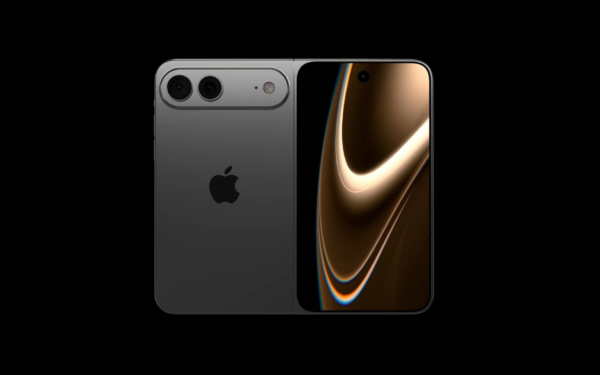
Latest iPhone Fold rumors reveal display crease details, hole-punch cameras, iOS multitasking layout, 12GB RAM, and storage options for Apple’s first foldable iPhone.

iPhone Fold Latest Rumors: Display, Cameras, RAM and Price Details Revealed

March 13, 2026

Leave a Comment Cancel reply

Your email address will not be published. Required fields are marked *

Recent Posts

  • Chrome’s Organizer feature may sync Gemini and AI conversations across devices
  • After Chrome, Edge tests launching the browser automatically when you sign into Windows
  • iPhone Fold Latest Rumors: Display, Cameras, RAM and Price Details Revealed
  • Samsung fears first mobile operating loss due to memory price surge
  • Elon Musk’s X to Change Verification in Europe Following EU Fine

Recent Comments

No comments to show.
OnMSFT.com

OnMSFT.com covers Microsoft news, reviews, and how-to guides. Formerly known as WinBeta, we have been your source for Microsoft news since 1998.

Categories

  • Windows
  • Surface
  • Xbox
  • How-To
  • OnPodcast
  • Gaming
  • Edge
  • Teams

Recent Posts

  • Chrome’s Organizer feature may sync Gemini and AI conversations across devices
  • After Chrome, Edge tests launching the browser automatically when you sign into Windows
  • iPhone Fold Latest Rumors: Display, Cameras, RAM and Price Details Revealed
  • Samsung fears first mobile operating loss due to memory price surge
  • Elon Musk’s X to Change Verification in Europe Following EU Fine

Quick Links

  • About OnMSFT.com
  • Contact OnMSFT
  • Join Our Team
  • Privacy Policy
© 2010–2026 OnMSFT.com LLC. All rights reserved.
About OnMSFT.comContact OnMSFTPrivacy Policy