Skip to content
OnMSFT.com
  • Home
  • About
  • Contact
  • Windows
  • Surface
  • Xbox
  • How-To
  • OnPodcast
  • Edge
  • Teams
  • Gaming
Menu
  • Home
  • About
  • Contact
  • Windows
  • Surface
  • Xbox
  • How-To
  • OnPodcast
  • Edge
  • Teams
  • Gaming
  1. Home
  2. News
  3. Microsoft Teams Meetings are getting push-to-talk capabilities – onmsft.com

Microsoft Teams Meetings are getting push-to-talk capabilities – onmsft.com

Rabia Noureen Rabia Noureen
September 10, 2021
1 min read

Microsoft is working on a new accessibility feature that should make it easier for users to unmute during Teams meetings. The company has recently updated its Microsoft 365 roadmap to indicate that push-to-talk support is coming to desktop users in October (via Dr.Windows).

The mute function is a convenient feature in Microsoft Teams, which helps preserve the meeting flow and ensures that the participants’ privacy isn’t compromised. Currently, Microsoft Teams supports a microphone button and a toggle mute key (Ctrl+Shift+M) to switch states between mute and unmute, respectively. However, some users have complained that this feature does not come in handy in situations when participants unmute their mics to speak and then forget to mute once again.

Fortunately, the Redmond giant is aware of this issue, and soon a push-to-talk option will be available in Microsoft Teams meetings. This feature will allow attendees to temporarily unmute their microphone by pressing the “Ctrl+Spacebar” keys. This capability is available on the Teams mobile app, and it eliminates the need to click the microphone button repeatedly.

The push-to-talk experience is one of the much-anticipated features, and it should help organizers run their meetings smoothly. However, it remains to be seen whether the feature will work when the focus is on a window other than Teams. In case you missed it, Microsoft is also planning to bring the push-to-talk Walkie Talkie feature to Teams phones.


Share This Post:

Share this article:
Tags:
Microsoft 365 Microsoft Teams
Previous Article A Star Wars: Knights of the Old Republic remake is coming to Windows PC (and likely Xbox consoles) – onmsft.com Next Article How to Install Windows 11 on M1 Mac – onmsft.com

Related Articles

Chrome’s Organizer feature may sync Gemini and AI conversations across devices

March 14, 2026

After Chrome, Edge tests launching the browser automatically when you sign into Windows

March 13, 2026
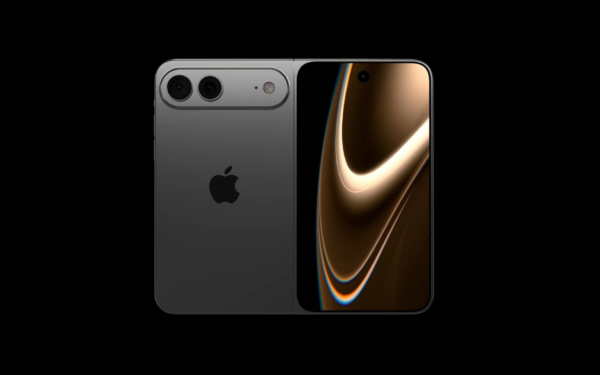
Latest iPhone Fold rumors reveal display crease details, hole-punch cameras, iOS multitasking layout, 12GB RAM, and storage options for Apple’s first foldable iPhone.

iPhone Fold Latest Rumors: Display, Cameras, RAM and Price Details Revealed

March 13, 2026

Leave a Comment Cancel reply

Your email address will not be published. Required fields are marked *

Recent Posts

  • Chrome’s Organizer feature may sync Gemini and AI conversations across devices
  • After Chrome, Edge tests launching the browser automatically when you sign into Windows
  • iPhone Fold Latest Rumors: Display, Cameras, RAM and Price Details Revealed
  • Samsung fears first mobile operating loss due to memory price surge
  • Elon Musk’s X to Change Verification in Europe Following EU Fine

Recent Comments

No comments to show.
OnMSFT.com

OnMSFT.com covers Microsoft news, reviews, and how-to guides. Formerly known as WinBeta, we have been your source for Microsoft news since 1998.

Categories

  • Windows
  • Surface
  • Xbox
  • How-To
  • OnPodcast
  • Gaming
  • Edge
  • Teams

Recent Posts

  • Chrome’s Organizer feature may sync Gemini and AI conversations across devices
  • After Chrome, Edge tests launching the browser automatically when you sign into Windows
  • iPhone Fold Latest Rumors: Display, Cameras, RAM and Price Details Revealed
  • Samsung fears first mobile operating loss due to memory price surge
  • Elon Musk’s X to Change Verification in Europe Following EU Fine

Quick Links

  • About OnMSFT.com
  • Contact OnMSFT
  • Join Our Team
  • Privacy Policy
© 2010–2026 OnMSFT.com LLC. All rights reserved.
About OnMSFT.comContact OnMSFTPrivacy Policy