Skip to content
OnMSFT.com
  • Home
  • About
  • Contact
  • News
  • How-to
  • Feature stories
  • Deals
  • Microsoft / office 365
  • Reviews
Menu
  • Home
  • About
  • Contact
  • News
  • How-to
  • Feature stories
  • Deals
  • Microsoft / office 365
  • Reviews
  1. Home
  2. News
  3. New Outlook for Windows to replace Mail and Calendar apps in Windows in September 2024

New Outlook for Windows to replace Mail and Calendar apps in Windows in September 2024

OnMSFT Staff OnMSFT Staff
June 16, 2023
1 min read

Microsoft has announced via the Microsoft 365 Roadmap that it will replace the Mail and Calendar apps in Windows with the new Outlook for Windows. The change is expected to take effect next year in September, but the company has indicated that some users might start seeing a MailTip in the Mail and Calendar apps, which will clearly indicate the change.

The company further added that:

  • Users will no longer be able to use or download the Mail and Calendar apps.
  • Users with a Microsoft 365 or Office 365 subscription with access to the Microsoft 365 desktop apps can use the new Outlook for Windows.
  • Users will be able to use the new Outlook for Windows with any personal email account (Outlook.com, Gmail, etc) even without a subscription.

Microsoft announced that the new Outlook for Windows client shipped to more users in April. The entry ships with many features, including loop components, message reminders for important emails, pinned items, and more. However, it doesn’t support features like offline support, that’s part of the classic Outlook for Windows client.

The company also started rolling out third-party account support for the app to get more users to transition from Mail for Windows, Outlook for the Web, and Outlook Exchange. Be sure to check out our Microsoft 365 recap post to get caught up with everything new announced as coming to the suite.

 

Related

Share this article:
Previous Article Windows 11 Insiders in the Release Preview Channel get new a build, 22000.2121 Next Article Here’s what’s new in Microsoft 365 this week: Group chat message copy links in Teams

Related Articles

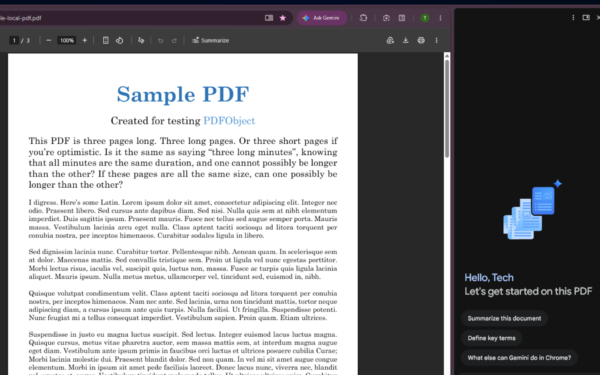
Gemini in Chrome side panel showing PDF summary options alongside an open document

Chrome could soon automatically summarize PDFs with Gemini

April 8, 2026

Snapdragon X2 Elite Gaming Shows Real Progress but Still Falls Short for Serious Players

April 8, 2026

ASUS Says No New Motherboards Needed for Intel Core Ultra 200S Plus

April 8, 2026

Leave a Comment Cancel reply

Your email address will not be published. Required fields are marked *

Recent Posts

  • Chrome could soon automatically summarize PDFs with Gemini
  • Snapdragon X2 Elite Gaming Shows Real Progress but Still Falls Short for Serious Players
  • ASUS Says No New Motherboards Needed for Intel Core Ultra 200S Plus
  • Google is Killing Chrome’s Link Preview Feature from Desktop
  • ASUS Snapdragon X2 Laptops Get Sudden Price Increase After Reviews

Recent Comments

  1. XxRIVTYxX on Intel Says It Tried to Help Before Crimson Desert Dropped Arc Support
  2. Gaurav Kumar on Chrome Prepares Nudge to ‘Move Tabs to the Side’ as Vertical Tabs Near Release
OnMSFT.com

The Tech News Site

Categories

  • Windows
  • Surface
  • Xbox
  • How-To
  • OnPodcast
  • Gaming
  • Edge
  • Teams

Recent Posts

  • Chrome could soon automatically summarize PDFs with Gemini
  • Snapdragon X2 Elite Gaming Shows Real Progress but Still Falls Short for Serious Players
  • ASUS Says No New Motherboards Needed for Intel Core Ultra 200S Plus
  • Google is Killing Chrome's Link Preview Feature from Desktop
  • ASUS Snapdragon X2 Laptops Get Sudden Price Increase After Reviews

Quick Links

  • About OnMSFT.com
  • Contact OnMSFT
  • Join Our Team
  • Privacy Policy
© 2010–2026 OnMSFT.com LLC. All rights reserved.
About OnMSFT.comContact OnMSFTPrivacy Policy
