Skip to content
OnMSFT.com
  • Home
  • About
  • Contact
  • Windows
  • Surface
  • Xbox
  • How-To
  • OnPodcast
  • Edge
  • Teams
  • Gaming
Menu
  • Home
  • About
  • Contact
  • Windows
  • Surface
  • Xbox
  • How-To
  • OnPodcast
  • Edge
  • Teams
  • Gaming
  1. Home
  2. News
  3. Microsoft Teams Phones Get New Meeting Stage, Simplified Sign-in Experience, And More – onmsft.com

Microsoft Teams Phones Get New Meeting Stage, Simplified Sign-in Experience, And More – onmsft.com

Rabia Noureen Rabia Noureen
March 29, 2021
2 min read

Microsoft has just announced a slew of new capabilities for Teams phones. The March 2021 update brings an improved in meeting experience, multi-cloud sign-in support, a simplified user sign-in experience, and many of the features being added will help end-users and IT admins stay connected.

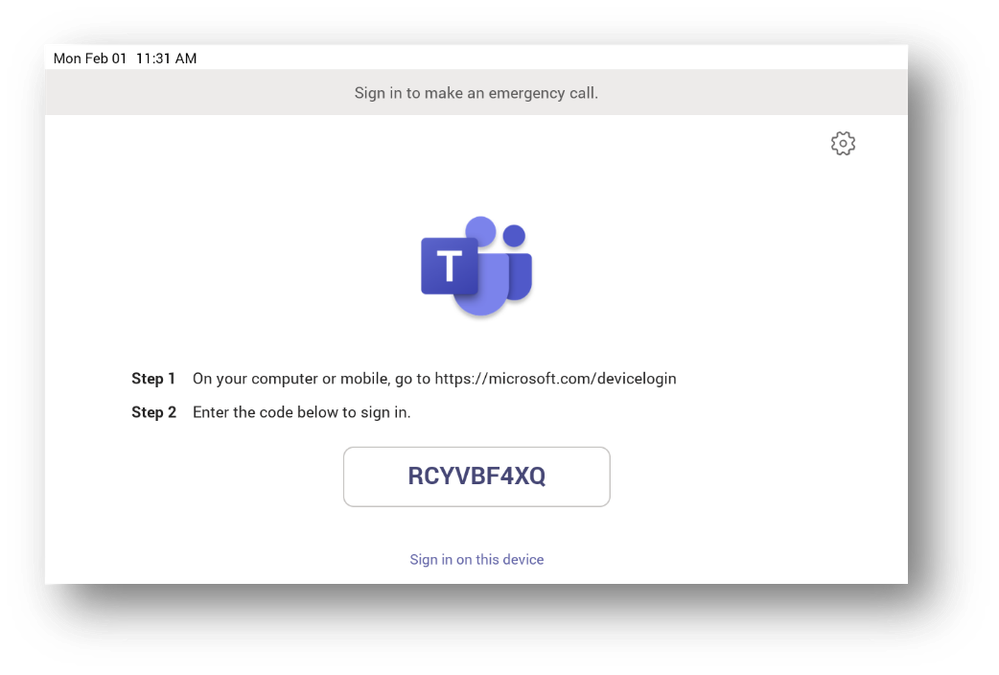
First off, Microsoft Teams phones now support a simplified sign-in experience, making it easier for users to get started. IT admins and end-users will now see a code when a device is turned on, which can be used to quickly sign into the phone via a smartphone, PC, or web browser.
thumbnail image 2 of blog post titled What’s new for Teams phones | March 2021

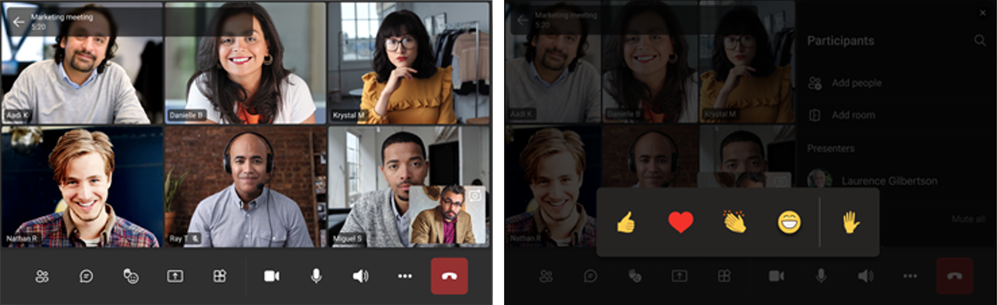
Another notable addition is a new option to dock the call controls and reactions during Microsoft Teams meetings. This change should make it easier for meeting hosts to mute/unmute participants, turn on/off video feeds, and switch between Together Mode and Gallery view. On the other hand, participants will now be able to easily express their sentiments with reactions such as a clapping emoji or a heart emoji during meetings.
thumbnail image 4 of blog post titled What’s new for Teams phones | March 2021

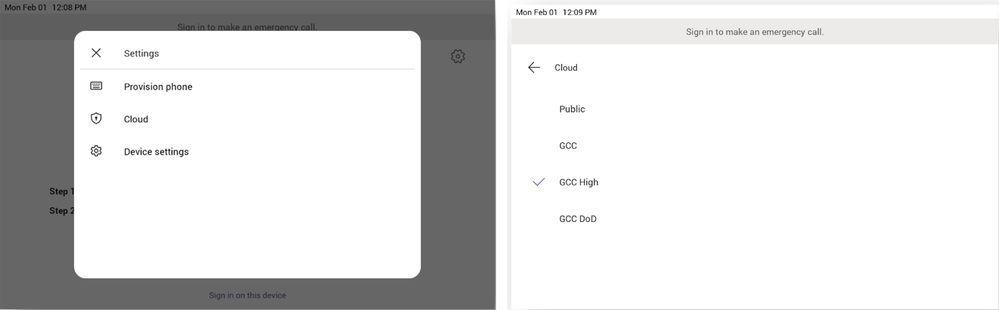
Microsoft Teams phones are also adding support for multi-cloud sign-in support, so different sign-in options for specialized clouds can be added to the tenant. The company Microsoft is also adding support for remote provisioning and sign-in capabilities. It is one of the much-anticipated features, and it enables IT admins to deploy a device from the Microsoft Teams admin center remotely.
Finally, Microsoft Teams phones now have an option to transfer calls to work voicemail. To do this, users will need to select the “work voicemail” option while transferring phone calls to get access to the voice mailbox of the other person. Some other minor additions include the ability for users to opt-out of call queues and click to dial phone numbers during meetings.
Share This Post:

Share this article:
Tags:
Microsoft 365 Microsoft Teams
Previous Article Cyberpunk 2077 Gets A Massive New Patch On PC And Consoles Next Article Xbox Insider Beta Ring Drops Xbox Live Gold Requirement For Play Free-to-play Games

Related Articles

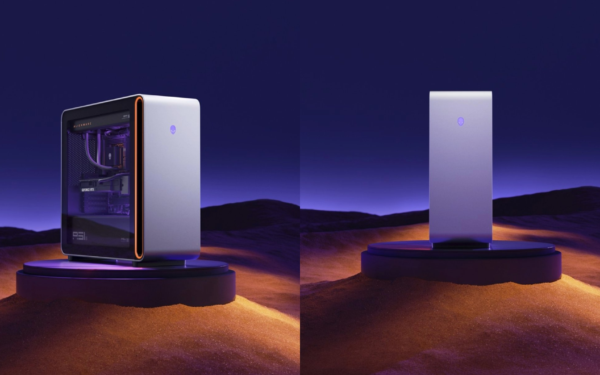
Dell Confirms Alienware Area-51 With Ryzen 9 9950X3D2 Launching April 22

April 2, 2026

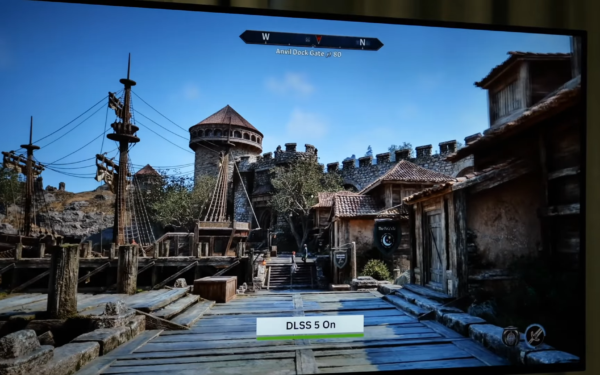
YouTuber tests DLSS 5 and finds visual glitches came from game engines, not AI

April 2, 2026

Intel Arc Pro B70 Delivers Up to 80% AI Inference Boost in MLPerf v6.0 Benchmarks

April 2, 2026

Leave a Comment Cancel reply

Your email address will not be published. Required fields are marked *

Recent Posts

  • Dell Confirms Alienware Area-51 With Ryzen 9 9950X3D2 Launching April 22
  • YouTuber tests DLSS 5 and finds visual glitches came from game engines, not AI
  • Intel Arc Pro B70 Delivers Up to 80% AI Inference Boost in MLPerf v6.0 Benchmarks
  • Microsoft launches Xbox PC Remote Tools to simplify game development across Windows devices
  • AMD Reveals ‘Advancing AI’ 2026 Event Dates, Full Details Expected Soon

Recent Comments

  1. XxRIVTYxX on Intel Says It Tried to Help Before Crimson Desert Dropped Arc Support
  2. Gaurav Kumar on Chrome Prepares Nudge to ‘Move Tabs to the Side’ as Vertical Tabs Near Release
OnMSFT.com

The Tech News Site

Categories

  • Windows
  • Surface
  • Xbox
  • How-To
  • OnPodcast
  • Gaming
  • Edge
  • Teams

Recent Posts

  • Dell Confirms Alienware Area-51 With Ryzen 9 9950X3D2 Launching April 22
  • YouTuber tests DLSS 5 and finds visual glitches came from game engines, not AI
  • Intel Arc Pro B70 Delivers Up to 80% AI Inference Boost in MLPerf v6.0 Benchmarks
  • Microsoft launches Xbox PC Remote Tools to simplify game development across Windows devices
  • AMD Reveals 'Advancing AI' 2026 Event Dates, Full Details Expected Soon

Quick Links

  • About OnMSFT.com
  • Contact OnMSFT
  • Join Our Team
  • Privacy Policy
© 2010–2026 OnMSFT.com LLC. All rights reserved.
About OnMSFT.comContact OnMSFTPrivacy Policy