Skip to content
OnMSFT.com
  • Home
  • About
  • Contact
  • Windows
  • Surface
  • Xbox
  • How-To
  • OnPodcast
  • Edge
  • Teams
  • Gaming
Menu
  • Home
  • About
  • Contact
  • Windows
  • Surface
  • Xbox
  • How-To
  • OnPodcast
  • Edge
  • Teams
  • Gaming
  1. Home
  2. News
  3. Edge translation feature coming for PDFs, currently testing in Canary Channel

Edge translation feature coming for PDFs, currently testing in Canary Channel

Devesh Beri Devesh Beri
September 18, 2023
2 min read

Microsoft Edge’s upcoming translation feature in its native PDF viewer has been captured by a user on Twitter. As per the user, it is currently in Edge Canary, but all the options are not functional yet. Native translation features for PDFs can be very helpful, especially for users who frequently work with documents in multiple languages.

The new PDF translation pane now works (Edge Canary), there are several options, including searching for the selected text (not working yet), listen to translation or suggest an edit:https://t.co/OysDMGTVcc
.https://t.co/LJImFogWAb pic.twitter.com/9KK6ScAKpp

— Leopeva64 (@Leopeva64) September 14, 2023

The translated text will appear in a new “Translate” pane rather than directly within the PDF. This approach can be useful as it allows users to view the translation alongside the original text and doesn’t clutter the main view, making comparing and referencing both versions easier.

Having options like searching for selected text, listening to translations, and suggesting edits can enhance the overall translation experience and make it more versatile for different use cases. This feature will likely be a valuable addition for those who rely on PDFs for their work or personal needs.

The automatic translation feature currently doesn’t extend to the native PDF reader within Microsoft Edge, as it is for websites. Having dedicated features for both web content and PDFs ensures that users have a comprehensive translation solution within the browser.

While Edge has added this feature, they are retiring this another feature and users are not happy about it.

via MSPowerUser

Related

Share this article:
Previous Article Windows 11 Start Menu now shows website suggestions: Here’s what to know Next Article Panos Panay is leaving Microsoft

Related Articles

Firefox for Android Tests Hidden “Shake to Summarize” AI Feature

March 11, 2026

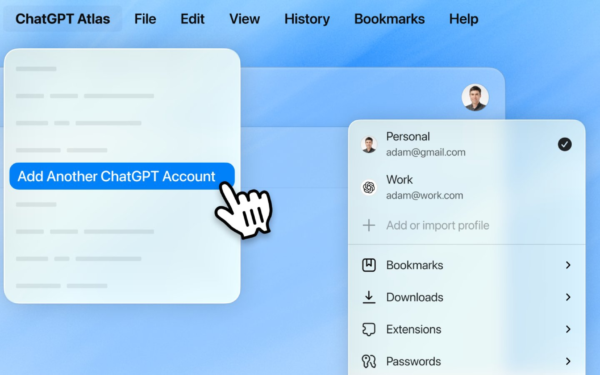
ChatGPT Atlas Update Adds Multi-Account Sign-In for Separate Profiles

March 11, 2026
Microsoft teases Xbox Helix, a powerful next-gen console with PC game support

Xbox Project Helix Has Been in the Works for Nearly a Decade

March 10, 2026

Leave a Comment Cancel reply

Your email address will not be published. Required fields are marked *

Recent Posts

  • Firefox for Android Tests Hidden “Shake to Summarize” AI Feature
  • ChatGPT Atlas Update Adds Multi-Account Sign-In for Separate Profiles
  • Xbox Project Helix Has Been in the Works for Nearly a Decade
  • People Leaving ChatGPT for Claude Are Noticing Big Differences
  • OpenAI Acquires Promptfoo to Boost AI Agent Security

Recent Comments

No comments to show.
OnMSFT.com

OnMSFT.com covers Microsoft news, reviews, and how-to guides. Formerly known as WinBeta, we have been your source for Microsoft news since 1998.

Categories

  • Windows
  • Surface
  • Xbox
  • How-To
  • OnPodcast
  • Gaming
  • Edge
  • Teams

Recent Posts

  • Firefox for Android Tests Hidden "Shake to Summarize" AI Feature
  • ChatGPT Atlas Update Adds Multi-Account Sign-In for Separate Profiles
  • Xbox Project Helix Has Been in the Works for Nearly a Decade
  • People Leaving ChatGPT for Claude Are Noticing Big Differences
  • OpenAI Acquires Promptfoo to Boost AI Agent Security

Quick Links

  • About OnMSFT.com
  • Contact OnMSFT
  • Join Our Team
  • Privacy Policy
© 2010–2026 OnMSFT.com LLC. All rights reserved.
About OnMSFT.comContact OnMSFTPrivacy Policy