Skip to content
OnMSFT.com
  • Home
  • About
  • Contact
  • Windows
  • Surface
  • Xbox
  • How-To
  • OnPodcast
  • Edge
  • Teams
  • Gaming
Menu
  • Home
  • About
  • Contact
  • Windows
  • Surface
  • Xbox
  • How-To
  • OnPodcast
  • Edge
  • Teams
  • Gaming
  1. Home
  2. News
  3. Edge for Android’s InPrivate lock feature doesn’t turn off

Edge for Android’s InPrivate lock feature doesn’t turn off

Devesh Beri Devesh Beri
September 13, 2023
2 min read

Edge for Android offers users the privacy of an incognito browsing mode, also known as InPrivate. However, the feature designed to lock these incognito tabs has an issue that a user caught on X, after teasing “on-device encryption” last month.

Edge for Android has supported the option to lock InPrivate tabs for a few months now, this means that you must enter some type of authentication when you resume an InPrivate session that was interrupted, this is already available in Canary, Dev and Beta… pic.twitter.com/DehDITNxsq

— Leopeva64 (@Leopeva64) September 12, 2023

Unlike its Chrome counterpart, Microsoft has yet to include a toggle to enable or disable this feature, leaving users with no easy way to manage it. 

Hence, once enabled, this feature cannot be disabled. So, every time a user goes InPrivate, they must enter the password. Microsoft has not yet added an option to disable it, nor have they removed the entire feature to make a comeback with full functionality. 

Incognito browsing offers enhanced privacy, preventing the browser from storing browsing history, cookies, and other data.

A similar feature, which already available in Canary, Dev, and Beta, can be easily switched on and off on Google Chrome.

If you have enabled the InPrivate tab lock feature and you no longer want it enabled, you can try the following workarounds:

  • Uninstall and reinstall Edge for Android. This will likely reset all browser settings, including the InPrivate tab lock feature.
  • Use a different browser. If you are not using Edge for any other reason, you can switch to a different browser that does not have the InPrivate tab lock feature.

Hopefully this issue will be resolved soon.

via MSPowerUser
Related

Share this article:
Previous Article AI-powered teaching and learning: Microsoft unleashes new educational tools Next Article Starfield will soon get DLSS upscaling, FOV slider, ultrawide monitor support and more

Related Articles

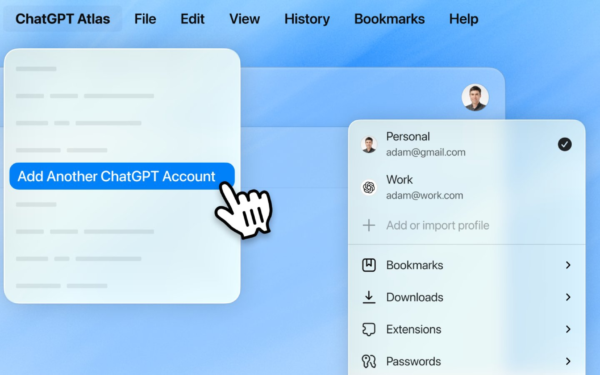
ChatGPT Atlas Update Adds Multi-Account Sign-In for Separate Profiles

March 11, 2026
Microsoft teases Xbox Helix, a powerful next-gen console with PC game support

Xbox Project Helix Has Been in the Works for Nearly a Decade

March 10, 2026

People Leaving ChatGPT for Claude Are Noticing Big Differences

March 10, 2026

Leave a Comment Cancel reply

Your email address will not be published. Required fields are marked *

Recent Posts

  • ChatGPT Atlas Update Adds Multi-Account Sign-In for Separate Profiles
  • Xbox Project Helix Has Been in the Works for Nearly a Decade
  • People Leaving ChatGPT for Claude Are Noticing Big Differences
  • OpenAI Acquires Promptfoo to Boost AI Agent Security
  • Anthropic adds ‘Code Review’ tool to inspect Claude Code pull requests

Recent Comments

No comments to show.
OnMSFT.com

OnMSFT.com covers Microsoft news, reviews, and how-to guides. Formerly known as WinBeta, we have been your source for Microsoft news since 1998.

Categories

  • Windows
  • Surface
  • Xbox
  • How-To
  • OnPodcast
  • Gaming
  • Edge
  • Teams

Recent Posts

  • ChatGPT Atlas Update Adds Multi-Account Sign-In for Separate Profiles
  • Xbox Project Helix Has Been in the Works for Nearly a Decade
  • People Leaving ChatGPT for Claude Are Noticing Big Differences
  • OpenAI Acquires Promptfoo to Boost AI Agent Security
  • Anthropic adds 'Code Review' tool to inspect Claude Code pull requests

Quick Links

  • About OnMSFT.com
  • Contact OnMSFT
  • Join Our Team
  • Privacy Policy
© 2010–2026 OnMSFT.com LLC. All rights reserved.
About OnMSFT.comContact OnMSFTPrivacy Policy